
Introduction
Creating the perfect playlist is a great way to customize your music library and add variety to your listening experience. With Apple Music, you can easily make playlists that are tailored to your own unique tastes. In this article, we’ll discuss the basics of creating a playlist in Apple Music as well as some tips and tricks for making the most of the platform.
Overview of Apple Music Playlists
Apple Music offers a wide range of playlists that suit many different tastes. From curated collections of new releases to personalized mixes based on your listening history, there’s something for everyone. You can also create your own custom playlists with your favorite songs, or search for pre-made playlists from top music curators.
Benefits of Having the Perfect Playlist
Having the perfect playlist can make all the difference when it comes to enjoying your music. It can help you discover new songs and artists, provide an easy way to switch up your listening habits, and make it easier to find music to match any mood or activity. Plus, having a few well-crafted playlists in your library can be a great way to impress your friends and family.
Step-by-Step Guide to Creating a Playlist in Apple Music
If you’re ready to start building your own custom playlists, here’s a step-by-step guide to get you started:
How to Create a New Playlist
First, open the Apple Music app and tap on “My Music” at the bottom of the screen. Then, tap on “Playlists” and select “New Playlist.” Give your playlist a name and save it.
Adding Songs to Your Playlist
Once you’ve created your playlist, it’s time to start filling it with music. Tap on the “+” icon in the upper right-hand corner of the screen and start searching for songs. You can search by artist, album, or song title. When you find a song you like, just tap on it to add it to your playlist.
Organizing and Editing Your Playlist
Once you’ve added all of the songs you want to include in your playlist, you can organize and edit it to your liking. Tap on the three dots next to each song to rearrange its order, delete it from the playlist, or add it to your library. You can also add notes to each song or share your playlist with friends.
How to Easily Create the Perfect Playlist with Apple Music
Creating the perfect playlist with Apple Music doesn’t have to be hard. Here are some tips to help you get started:
Choosing the Right Music
When choosing songs for your playlist, it’s important to consider the type of music you like. If you’re creating a party playlist, for example, you’ll want to choose upbeat songs that will keep people dancing. If you’re making a relaxing playlist, opt for slower, more mellow tunes.
Setting Up Your Playlist Preferences
You can also use Apple Music’s “For You” tab to set up preferences for your playlists. This feature allows you to select a genre and then receive personalized recommendations based on your selections. This is a great way to quickly find new music to add to your playlists.
Utilizing Smart Playlists
Apple Music also offers a number of smart playlists that are updated automatically based on your listening habits. These playlists are a great way to discover new music and keep your playlists fresh.
Simple Tips for Making the Best Playlist with Apple Music
When it comes to creating the perfect playlist, there are a few simple tips to keep in mind:
Incorporate Different Genres
A great playlist should include a mix of different genres and styles. This will ensure that your playlist has something for everyone and will keep listeners engaged.
Include Variety of Artists
Including a variety of artists in your playlist is another great way to keep things interesting. Try to find a balance between popular and lesser-known artists to give your playlist depth and character.
Balance Popularity with Uniqueness
When adding songs to your playlist, try to find a balance between popular songs that everyone knows and loves, and more obscure tracks that will surprise your listeners. This will help keep your playlist engaging and dynamic.
Designing an Awesome Playlist with Apple Music
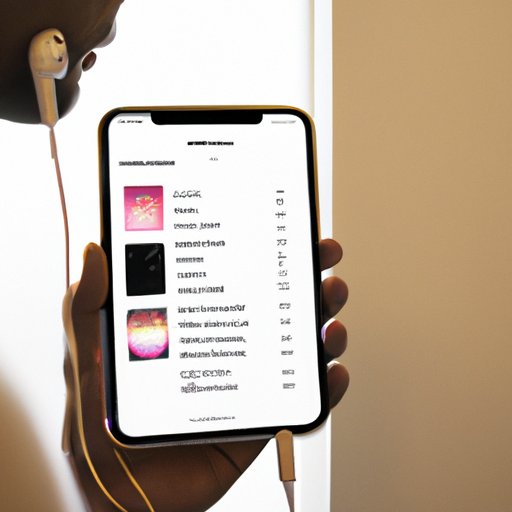
Designing an awesome playlist is all about finding the right balance between old favorites and new discoveries. Here are some tips for crafting the perfect playlist:
Finding Inspiration
When creating a playlist, it’s important to find inspiration from other sources. Try listening to playlists created by your favorite artists, exploring new genres, or checking out the latest releases.
Establishing a Theme
Establishing a theme for your playlist can help you focus your search and make sure your playlist has a cohesive feel. Some ideas for themes include a certain era of music, a specific artist or genre, or even a particular mood or emotion.
Using Music Apps to Find New Music
There are plenty of apps out there that can help you find new music to add to your playlists. Spotify Discover Weekly, for example, is a great resource for discovering new songs and artists.

Building the Ideal Playlist with Apple Music
Once you’ve got the basics down, it’s time to start building the ideal playlist. Here are some tips for making it the best it can be:
Knowing Your Audience
When creating a playlist, it’s important to consider who you’re creating it for. If you’re making a playlist for a friend, for example, you may want to include their favorite artists or songs. If you’re creating a playlist for a party, you’ll want to focus on upbeat, danceable tracks.
Keeping Track of What You Like
It’s also a good idea to keep track of the songs you like so you can easily find them when you want to add them to your playlists. Apple Music makes it easy to do this with its “My Music” tab, which lets you sort your music by artist, album, or genre.
Sharing Your Playlist
Finally, don’t forget to share your playlist with others! You can easily share your playlists via social media, email, or text message. This is a great way to spread the music you love and get feedback from friends and family.
Crafting the Perfect Playlist: Tips and Tricks with Apple Music
Now that you know how to create a playlist in Apple Music, here are some tips and tricks for crafting the perfect one:
Experimenting with Different Types of Music
Don’t be afraid to experiment with different types of music. Try incorporating classical, jazz, or world music into your playlists to add variety and spice things up.
Exploring Different Playlist Formats
Apple Music also offers different playlist formats such as “Mixtape” and “Live Radio.” These formats allow you to create dynamic playlists that change over time and keep listeners engaged.
Utilizing Collaborative Playlists
Collaborative playlists are a great way to share music with friends and family. With collaborative playlists, you can invite others to add songs to your playlist, allowing for a truly unique listening experience.
Conclusion
Creating the perfect playlist with Apple Music is easy and fun. By following these steps and using the tips and tricks outlined above, you’ll be able to craft a playlist that is tailored to your unique tastes and will keep your listeners engaged. So get creative and start building your own custom playlists today!
Summary of Important Points
In this article, we discussed the basics of creating a playlist in Apple Music as well as some tips and tricks for making the most of the platform. We explored how to create a new playlist, add songs to it, and organize and edit it. We also discussed how to easily create the perfect playlist with Apple Music and provided simple tips for making the best playlist. Finally, we looked at ways to design an awesome playlist and build the ideal one with Apple Music.
Final Thoughts
Creating the perfect playlist with Apple Music is a great way to customize your music library and add variety to your listening experience. Whether you’re looking for a way to impress your friends or just want to explore new music, Apple Music has everything you need to make the perfect playlist.
(Note: Is this article not meeting your expectations? Do you have knowledge or insights to share? Unlock new opportunities and expand your reach by joining our authors team. Click Registration to join us and share your expertise with our readers.)